Run the Android sample
Building and running Offline Tasks on Android, and what to try once it runs.
The app runs on the library against your own Supabase project. Its lists are live queries on the device's cache, every change goes through the library's queue, and photos go through the offline Storage bucket, so what you do offline reaches your project when the network comes back.
Prerequisites
- JDK 17.
- The Android SDK with platform 37 (Android 17). Android Studio installs it.
- A device or emulator on Android 7.0 (API 24) or later. Dynamic color needs Android 12.
- A Supabase project with the samples' schema, both migration files applied: Set up Supabase. The second adds the two database functions, the Storage policy that lets a photo be replaced or moved, and the tables' Realtime publication.
Add your keys
Put the project URL and its publishable key in local.properties at the repository root, beside
sdk.dir (see local.properties.example):
sdk.dir=/path/to/your/Android/sdk
SUPABASE_URL=https://<ref>.supabase.co
SUPABASE_PUBLISHABLE_KEY=sb_publishable_…
Git ignores local.properties, so the keys never reach a commit. The build copies them into the
app's BuildConfig. Without them the app still builds, and opens on a screen that names the two
keys to add.
Build and run
From the repository root, with a device connected or an emulator running:
Or open the repository in Android Studio and run the app module in samples/android.
The sample takes the library from Maven Central, as your app does:
io.github.nesfeder.supabase-offline:supabase-offline-kt, with supabase-offline-kt-testing for its
tests, at the release supabase-offline names in gradle/libs.versions.toml. Each release moves it
to the version just published. On main, and at a release's tag until the pull request that follows
the release moves the pin, the sample's code can use API newer than the release it pins: if the
default build does not compile, build on this checkout instead.
The first launch signs in anonymously and opens on an empty list: add a task with New task. Every row and photo belongs to that anonymous user, and the session is kept on the device, so the next launch is the same user, offline too.
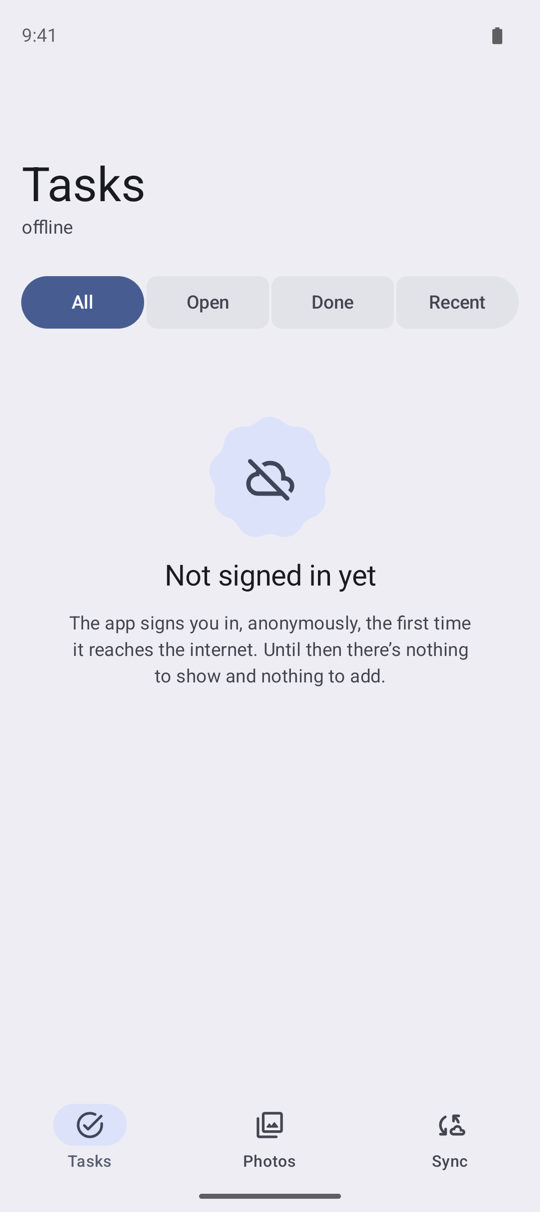
If the device is offline on the very first launch, there is no user yet. The list says it is not signed in, and New task and the Sync tab's Queue an invalid title are switched off: every row needs its user, and only the server can create one. The app signs in as soon as it reaches the internet.
Build on this checkout
To run the sample against the library in this checkout instead, pass -PsupabaseOffline.local=true.
It builds the sample on the repository's own two modules in place of the published artifacts, which
is how CI builds and tests it:
In Android Studio, add supabaseOffline.local=true to gradle.properties in your Gradle user home
(~/.gradle), and sync.
Things to try
Go offline and keep working
On the Sync tab, switch on Simulate offline. It cuts this app off from the server, as airplane mode would, until you switch it back or the app restarts; the rest of the device stays online.
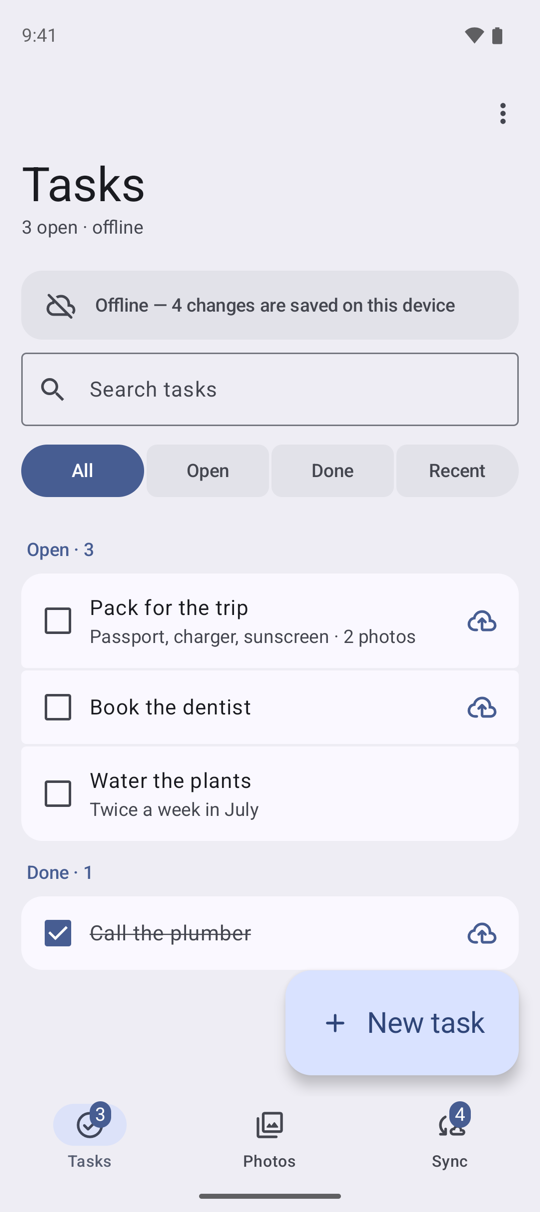
Now add a task, clear another's notes, tick one done and delete one. Each change shows at once. A cloud mark on a row means its change has not reached the server yet; the banner and the Sync tab's badge count the changes waiting. Pull to refresh, and the caption under the title says the list is from this device, and how old it is. A task you have never opened still opens offline: it is read from the list the device already holds.
Come back and watch it send
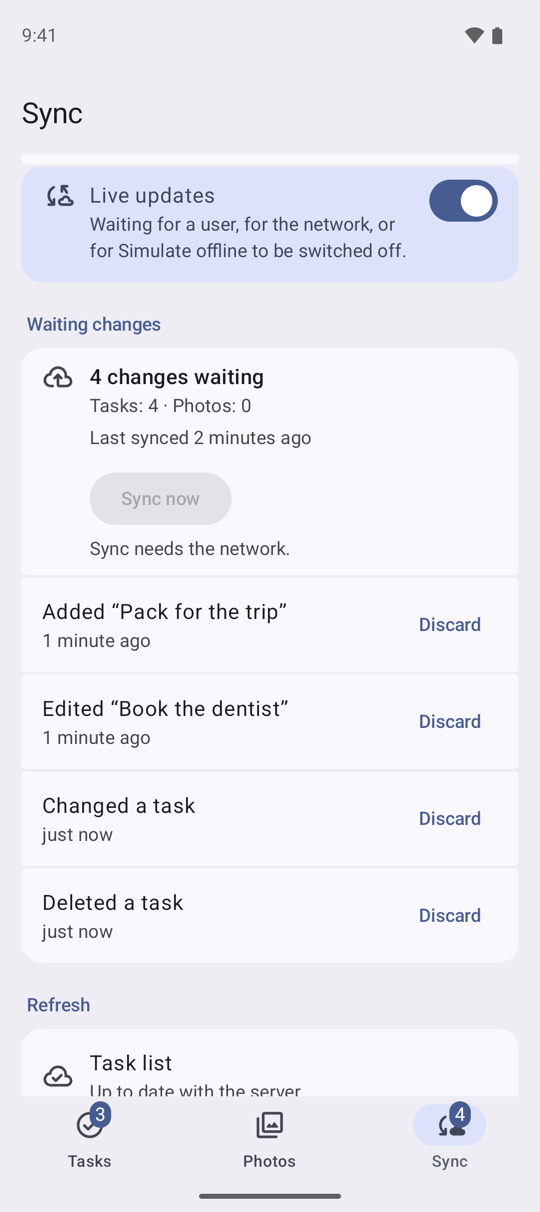
The Sync tab counts the changes waiting per table and lists each one, with Discard to throw it away unsent. Sync now needs the network, so offline it is switched off.
Switch Simulate offline off. The changes are sent in the order you made them, and the count drops to Nothing waiting. To see the server's copy, use Clear local cache under Local data: it deletes what the device holds, then reads both lists again from your project.
Closing the app while offline loses nothing either: the queue is kept on the device and sent on the next launch that has the network.
Queue an invalid title
The schema refuses a blank title. Under Try it, Queue an invalid title adds a task with one.
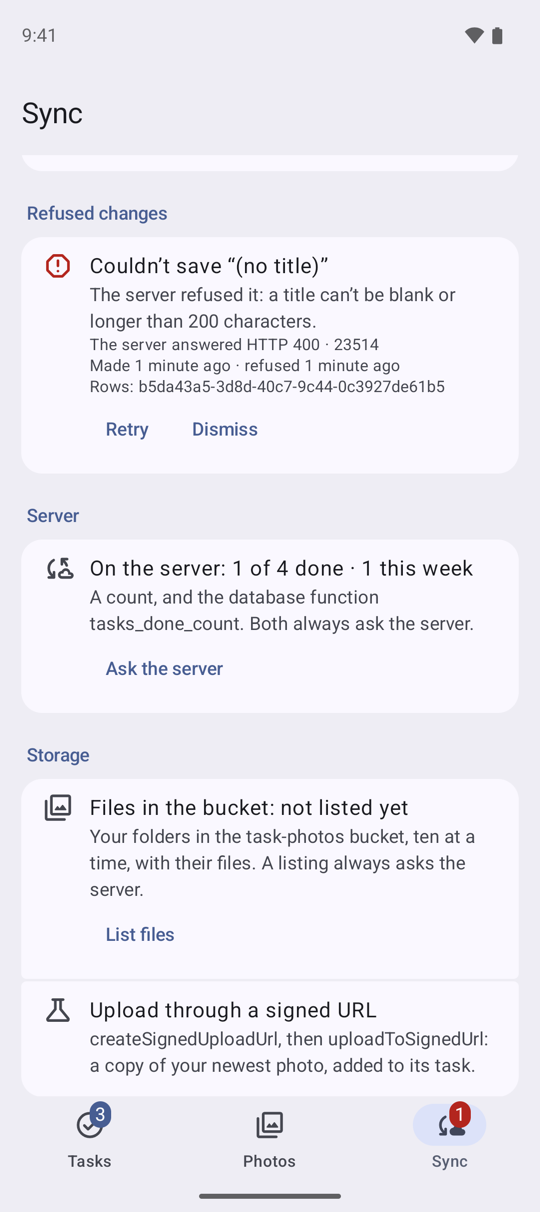
Online, the server refuses it as soon as it is sent: the app says why in a message, and nothing is kept. Offline, it waits in the queue like any other change. When it is sent the server refuses it (HTTP 400, Postgres code 23514), and it moves to Refused changes with the server's answer. Retry sends it again; Dismiss removes it.
Attach a photo
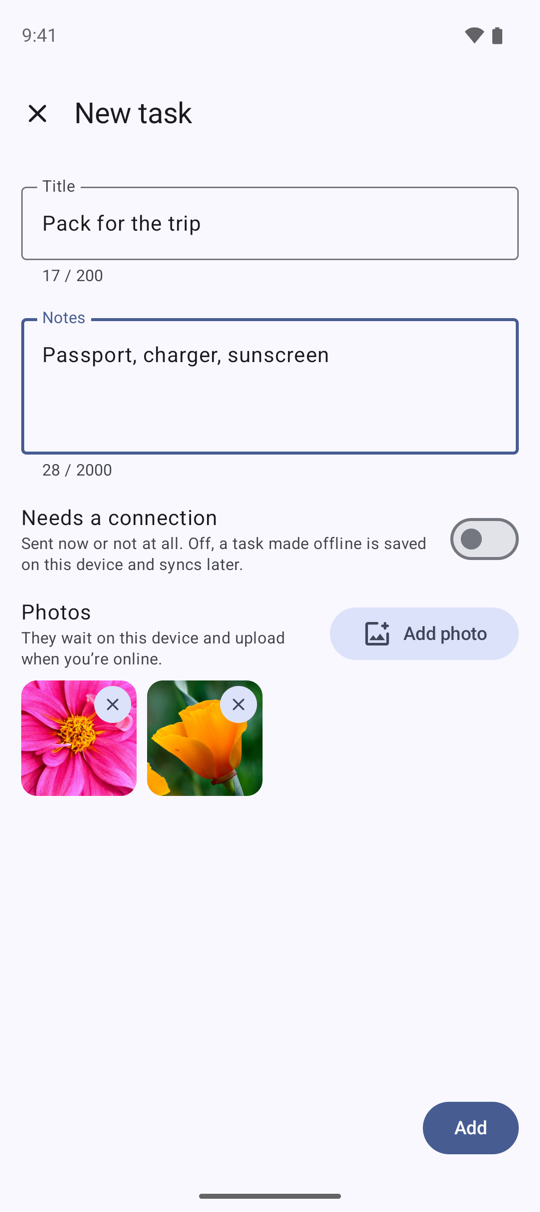
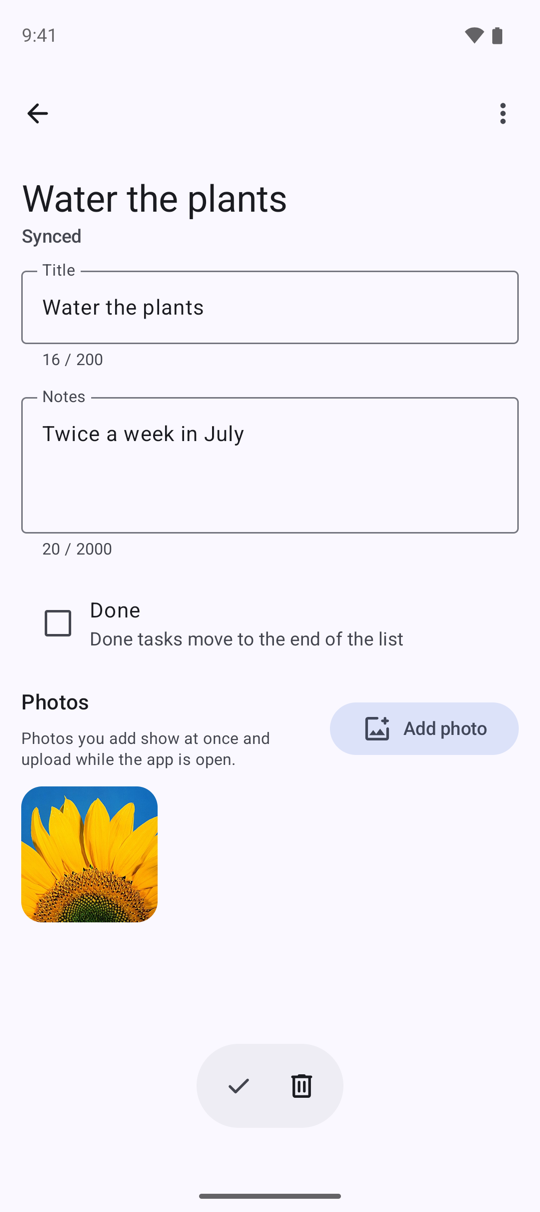
Open a task and tap Add photo, or add photos as you create a task with New task's Add photo, several at once. A photo shows at once, from the device, marked while it waits or uploads, with the upload's progress. Once it is uploaded the library's file cache keeps it, so it still shows offline: the Photos tab marks it available offline.
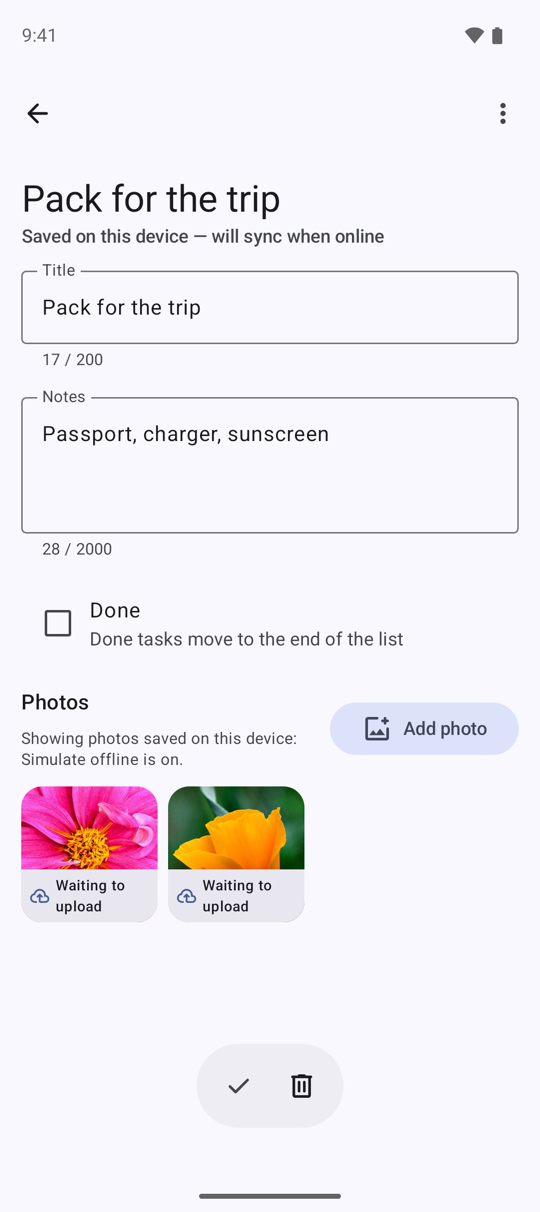
The library never queues a Storage write, so the app keeps its own queue: a photo added offline (Simulate offline on, say) waits on the device, marked "Waiting to upload", and uploads when the network comes back, its row written only once Storage has the file. One that fails says why, with Retry, and Remove to give it up. Until it is uploaded, the viewer offers Share and Remove for it but not Details, Share link, Replace, Move or Duplicate. Those, and Delete for an uploaded photo, need the network: offline they are switched off.
Search, filter and refresh
The search field and the All / Open / Done / Recent chips are filters the server applies, and each one is saved on the device on its own once it has been asked online. Offline, a search or a chip you never used online has nothing saved, and the list says so. On the Sync tab, Prefer fresh data makes the list ask the server first rather than show the device's copy first.
Live updates
With Live updates on, the default, a change made elsewhere (in the Table Editor, say) shows in the list as it happens. The Sync tab says whether the Realtime channel is connected; Simulate offline and a lost network pause it, and it connects again when the network is back.
Photos, beyond the upload
Open a photo. Details shows what Storage holds for it and the copy on this device. Share sends the photo, Share link a link to a 512-pixel copy (a project without image transformations answers that link with an error), and the menu replaces the photo, moves it to another task or adds a copy to one. The Sync tab's Storage section lists your folders in the bucket, and Upload through a signed URL copies your newest photo through one.
The server's side
The Tasks menu's Mark all done and the Sync tab's Server section call the samples' two database functions; Server also counts your tasks. Functions and counts always ask the server: offline, the app says why they cannot run.
Try it
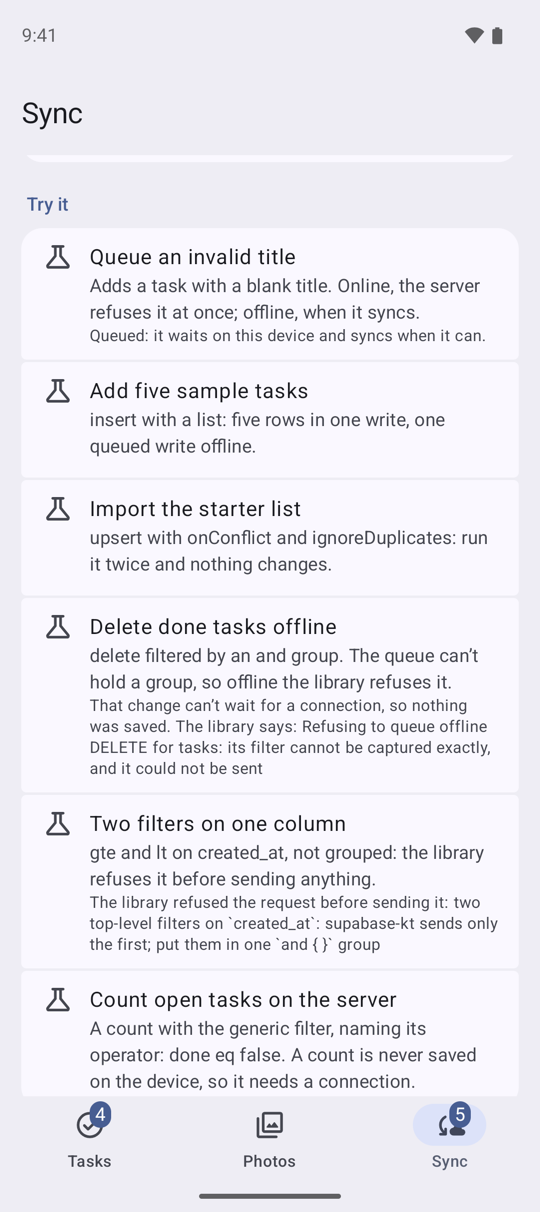
Besides Queue an invalid title, the Sync tab's Try it adds five sample tasks in one write, imports a starter list that a second import leaves as it is, makes a grouped delete offline that the library refuses, makes a read with two filters on one column that it refuses too, and counts the open tasks on the server. Each says which call it made and what happened.
Start over
Start over, under Local data, holds photo uploads (waiting for one in progress), clears the device, deletes this user's photos, photo rows and tasks from your project, with any file a waiting photo already stored, deletes the photos waiting to upload, and signs in as a new anonymous user with an empty list. It needs the network: an anonymous user cannot sign back in to reach what it left behind, so offline it refuses and deletes nothing. Clear local cache deletes what the device holds, the queue and the photos waiting to upload included, then reads both lists again from your project.
Troubleshooting
- The app says there is no Supabase project yet.
local.propertieshas noSUPABASE_URLorSUPABASE_PUBLISHABLE_KEY. Add them and build again. - It cannot sign in. Check that anonymous sign-ins are on (Authentication, Sign In / Providers) and that the project is not paused: a free project pauses after a week without activity (If the project pauses). The app tries again each time the network comes back; until then the list says it is not signed in yet.
- A photo will not upload. Check that the
task-photosbucket exists, private, as Set up Supabase creates it. The photo is marked "Upload failed" with the app's sentence for Storage's answer. A missing bucket reads as "This photo's file is missing" and is tried again once the bucket exists, on Retry or when the network next comes back. A photo Storage's policies refused stays failed with Retry switched off: remove it, fix the policy, and add it again. - Mark all done or the Server section fails, or Replace and Move photo are refused. The second migration file is not applied: run it as Set up Supabase says.
- Live updates stays at "Connecting to Realtime…", or changes from elsewhere never show. Check
that the second migration file added
tasksandtask_photosto thesupabase_realtimepublication (Database, Publications, in the dashboard). Without it, Realtime refuses the subscription and the app keeps trying to join again. - The build asks for platform 37. Install Android SDK Platform 37 in Android Studio's SDK Manager.